You have three real options for onboarding in a React Native app: build the screens by hand, assemble them with an onboarding or swiper library, or drive them from a server so they update without a release. The right choice depends on one question most teams never ask up front: how often will you change this flow? If the honest answer is "every few weeks, once we see the drop-off data," the architecture matters more than the components.
Option 1: hand-rolled screens
A stack navigator, a screen per step, some shared progress state. Full control, no dependencies, and for a two-screen flow it is genuinely the simplest answer. The costs show up later: every copy tweak, screen reorder, or new question is a code change riding your release train, and onboarding logic (progress, skips, conditional branches, analytics events) accretes into some of the gnarliest state in the app. Hand-rolling is the right call when your flow is short, stable, and deeply custom.
Option 2: onboarding and swiper libraries
The React Native ecosystem has a pile of intro-carousel and swiper packages that get a paged walkthrough on screen in an afternoon. They are fine for what they are, but be clear about what they are: layout components. The flow itself (what screens exist, in what order, with what copy) still lives in your JavaScript bundle, so iteration still means a release. And the format they push you toward, the decorative swipe-through tour, is precisely the onboarding pattern that top apps have abandoned in favor of question-driven personalization, as the category data in how many onboarding screens shows. Maintenance is a real factor too: many of these packages are lightly maintained, and each new React Native version is a small gamble.
Option 3: server-driven flows
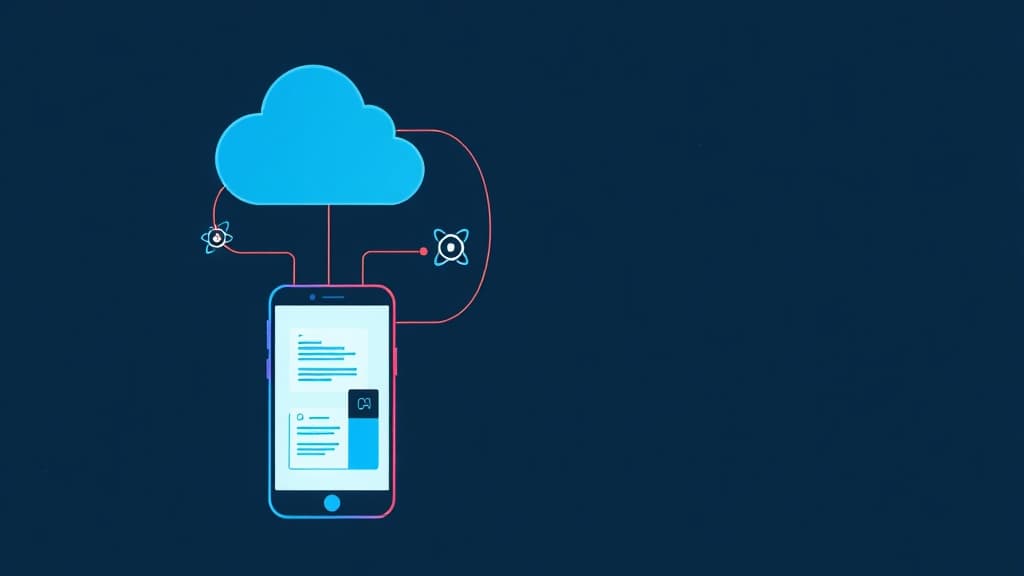
The third option moves the flow definition out of the bundle: screens, order, copy, branching, and targeting live on a server, and an SDK renders them natively at runtime. This is the architecture behind most top subscription apps' onboarding, and it changes the economics of iteration completely. Reordering screens, rewording a question, moving the paywall, or running an A/B test becomes a publish, not a release. The same mechanism handles the flows you have not built yet: surveys, feature announcements, upgrade prompts.
The trade-offs are the usual ones for any service dependency: you take on a vendor (or you build and operate the system yourself, which is a quarter-scale project), you design for offline and failure fallbacks, and deeply custom interactions stay in code. For the standard onboarding vocabulary (questions, media, permissions, paywalls) a good flow system covers the ground.
How to choose
- Two or three stable screens, no experiments planned: hand-roll it and move on.
- You want a quick visual tour this week and accept a rebuild later: a swiper library is fine scaffolding.
- Onboarding is a growth surface you intend to measure and iterate: server-driven is the only option where weekly iteration is actually cheap.
The pattern we see repeatedly: teams hand-roll v1, learn from the funnel that the flow needs constant change, then migrate to server-driven once the third "just reorder two screens" release ships a week late.
What about building server-driven yourself?
Some teams look at server-driven UI and reach for the whiteboard, because the core idea (JSON in, components out) looks like a weekend project. The renderer is. The system is not. A production onboarding system also needs a visual editor non-engineers can use, draft and publish separation with rollback, per-screen analytics, targeting and A/B splits, offline caching with safe fallbacks, and versioning that survives old app binaries meeting new flow definitions. Each is unglamorous; together they are a quarter of engineering time, plus permanent maintenance, spent on infrastructure your users never see.
The build case exists: deeply custom interactions, unusual compliance constraints, or flows so core they are the product. For the standard growth vocabulary, buying the system and spending the quarter on your actual product is usually the honest math. Whichever way you go, checklist for evaluating any option: native rendering (not web views), works with your navigation setup, offline fallback behavior you can test, analytics granular to the screen, and an update path that does not care which app version a user runs.
Server-driven onboarding with Setgreet
Setgreet's React Native SDK renders flows as real native screens, not web views, from a definition you edit in a visual editor or generate with AI. It supports React Native 0.74 and up with TypeScript, ships with per-screen analytics, and publishes changes to live apps in seconds. The getting started guide takes about ten minutes, and the free plan is a real free plan: build, publish, and measure included.
Frequently asked questions
Which React Native onboarding library should I use?
If you only need a paged intro carousel, any actively maintained swiper package will do, and the specific pick matters less than accepting its limits: it solves layout, not iteration. If you expect to change the flow based on data, evaluate server-driven options before committing to a library at all.
Which React Native versions does server-driven onboarding support?
Setgreet's React Native SDK supports React Native 0.74 and up, in TypeScript; see the SDK docs for setup. Because flow content updates are configuration rather than shipped code, they arrive independently of your app release process.
Will server-driven screens feel native?
Depends on the renderer. A system that renders actual native components (as Setgreet does) is indistinguishable from built-in screens; embedded web views are not, and users notice the seams in scrolling, fonts, and load flashes.